

Travel tech tools improve safety in four main ways. They give you early warning about risks, help you find your way without guessing, let other people know where you are, and keep you reachable when something goes wrong. No app replaces common sense or good planning, but the right setup makes you harder to scam, easier to find, and faster to help.
This guide explains what each type of tool does, how to set it up before you leave, and where each one falls short.
The Short Answer: Four Jobs Technology Does Well
| Job | Tools That Do It | What It Helps Prevent |
| Warn you early | Government alert programs, destination alert apps | Walking into a protest, storm, or disruption unaware |
| Guide you | Offline maps, translation apps, ride-hailing apps | Getting lost, being overcharged, or miscommunication |
| Keep others informed | Live location sharing, trip sharing, emergency contacts | Being out of contact when you need help |
| Protect your stuff | Bluetooth trackers, cloud backups, card controls | Losing important documents or access to your money |
Most travelers need something from each row. Few need every app on the market.
1. Alerts Before and During the Trip
Official alerts come first because they come from government agencies and embassies that provide travel information and emergency guidance.
U.S. citizens and nationals can use the State Department’s Smart Traveler Enrollment Program (STEP). It provides country-specific email alerts, including security, health, weather, and travel advisory updates. Travelers can register trips or choose a guest subscription. Read the details on the official STEP website.
STEP is intended for U.S. citizens and nationals. Travelers from other countries should check whether their own foreign ministry offers a similar registration or alert service.
Commercial apps add another layer. Apps such as Sitata and GeoSure provide travel-related safety information and alerts. Some services also offer location-based safety information for cities and neighborhoods.
Treat safety scores as a starting point. They cannot tell you exactly what a particular street feels like at 11 p.m. In areas affected by armed conflict, official government travel advisories are especially important.
Practical setup: Subscribe to relevant alerts at least a week before departure. Read the current travel advisory for your destination and change your plans if necessary.
2. Navigation That Works Without Signal
Getting lost can make you more vulnerable to scams, aggressive touts, and unlicensed taxi drivers.
Download offline maps before you leave. In Google Maps, search for your destination, open its details, and select the option to download an offline map. You can also choose a custom area to save.
Follow these three habits to navigate more safely:
- Use GPS even without mobile data. Your phone’s GPS can determine your location without a mobile data connection, provided it can receive satellite signals. Your position can still appear on a previously downloaded map.
- Pin your accommodation. Save your hotel as a favorite place so you can find your way back.
- Check the route, not just the time. At night, a shorter route may involve poorly lit streets. Review the route before setting off.
Offline maps have limitations. You must download the area in advance, and some navigation features may not work without an internet connection. Check that your saved maps are available and up to date.
For detailed instructions, see Google Maps’ official offline maps guide.
3. Sharing Your Location With People Who Can Help
A missed check-in works as an alarm only if someone is watching for it.
Most smartphones offer location-sharing features that let you share your whereabouts with selected contacts. Google Maps also supports location sharing and trip progress sharing during navigation. Ride-hailing apps may offer a similar feature that sends your trip details to a trusted contact.
Use location sharing in these situations:
- Arriving in a new city after dark
- Taking a long taxi or ride-share trip alone
- Starting a hike or day trip away from towns
- Meeting someone you only know online
Agree on a simple rule with your contact: “If I haven’t checked in by 9 p.m., call me, then call the hotel.” Without a rule, shared location becomes a map nobody checks.
A privacy note: Set an end time on every location shared. Sharing indefinitely with a casual acquaintance creates its own risk.
4. Emergency Features Built Into Your Phone
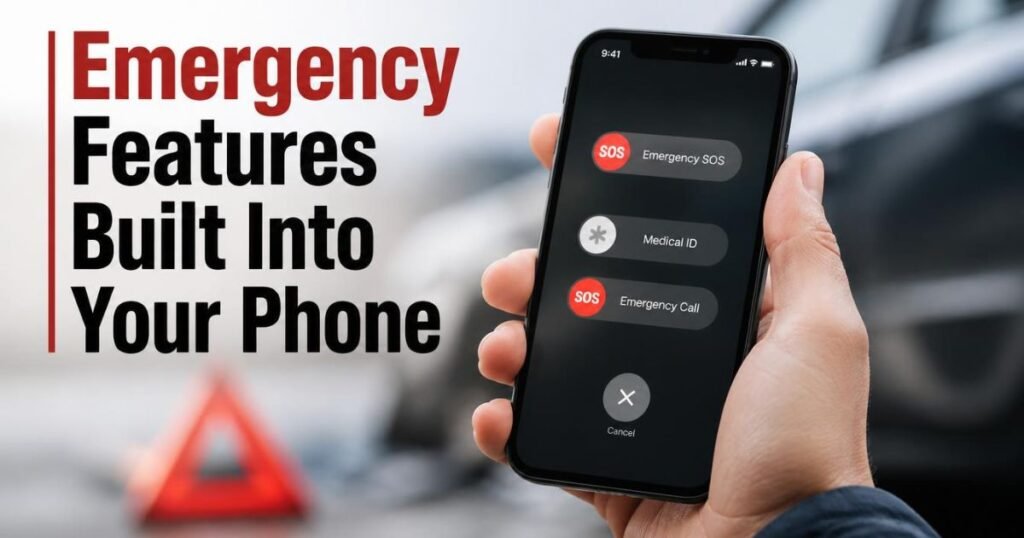
Your phone already includes tools that many travelers never set up. Prepare them at home, not during a crisis.
- Add emergency contacts and fill in your medical information.
- Learn the emergency SOS shortcut for your phone model.
- Save the local emergency number and your embassy’s number as contacts. Emergency numbers differ by country.
- Turn on crash and fall detection if your device supports these features.
Some newer iPhones support Emergency SOS via satellite in selected countries and regions. Compatible devices can contact emergency services when cellular and Wi-Fi coverage are unavailable, provided the feature is supported in that location and conditions allow a satellite connection.
Satellite messages can take 30 seconds or more under ideal conditions and may take several minutes in less favorable conditions. Trees, mountains, buildings, and other obstructions can prevent a connection.
Check Apple’s official satellite connectivity guide for compatible devices, regional availability, and instructions before relying on this feature for a remote trip.
Some Android phones also offer satellite communication features. Check your manufacturer’s current information because support varies by model and region.
5. Tools That Protect Your Documents and Money
Many trips go wrong because of a stolen bag, not a dramatic emergency. A few digital habits can reduce the damage:
- Keep protected copies of your documents. Store password-protected or encrypted copies of your passport, visas, insurance, and bookings in secure cloud storage and offline on your phone.
- Use a Bluetooth tracker. Place one in checked luggage. It cannot guarantee recovery of a stolen bag, but it may help you locate misplaced luggage.
- Use card controls. Many banking apps let you freeze a card and set transaction alerts.
- Carry a backup payment method. Store it separately from your main wallet.
- Use a VPN on public Wi-Fi. A reputable VPN can help protect network traffic, but it does not eliminate every security risk. Mobile data is another option for sensitive tasks.
- Consider an eSIM. It can give you mobile data after landing, reducing your reliance on public Wi-Fi.
For more guidance, read How to Choose a Travel semis and Common Travel Scams and How to Avoid Them.
6. Translation and Communication Tools
Misunderstandings can cause real problems at taxi ranks, pharmacies, and police stations. Translation apps with offline language packs can help you read signs, check menus for allergens, and explain a medical need.
Save key phrases before you travel, including “I need a doctor,” “Please call the police,” and any important allergy information in the local language.
Machine translation can make mistakes with medical and legal terms. Use it to get started, then ask for a human interpreter if the situation is serious.
What Technology Cannot Do
Travel tech tools fail in predictable ways, and knowing their limitations matters as much as knowing their features.
- Batteries die. Carry a power bank and a charging cable. A dead phone turns every other tool on this list into dead weight.
- Alerts can be delayed. An app may report an incident after it begins. Local news and your accommodation staff may have more immediate information.
- Safety scores simplify reality. A neighborhood rating cannot account for every event, time of day, or personal circumstance.
- False confidence is a risk. Having a safety app does not make a risky plan safe.
- Privacy has a cost. Apps that track your location may collect personal data. Review permissions and delete accounts you no longer need.
Technology also cannot replace travel insurance. Review Travel Insurance Guide before buying a policy, and check what it excludes for your destination.
A Simple Setup by Traveler Type
| Traveler | Prioritize | Skip for Now |
| Solo traveler | Live location sharing, emergency contacts, offline maps, a daily check-in rule | Extra apps that duplicate each other |
| Family | Location sharing for older children, airline and hotel apps, medical information on each phone | Complex multi-app setups |
| Remote or adventure traveler | Offline maps, a power bank, satellite messaging if supported | Relying entirely on cell coverage |
| Business traveler | Government alerts, travel insurance details, a VPN, cloud backups | Using public Wi-Fi without appropriate security precautions |
For more advice, read Solo Travel Safety Tips and Best Travel Apps.
Frequently Asked Questions
Are travel safety apps worth it?
Yes, if you choose a few useful apps and set them up before leaving. Official alerts, offline maps, and location sharing provide practical benefits. Downloading multiple apps that you never use offers little value.
What is the most useful safety tool for travelers?
Offline maps and live location sharing are two of the most useful tools. Offline maps help you navigate when connectivity is unavailable, while location sharing lets trusted contacts follow your journey when a connection is available.
Do travel safety apps work without the internet?
Some features do. Previously downloaded maps and GPS positioning can work offline. Alerts and most live location-sharing features require connectivity. Satellite communication is available on certain supported devices in selected regions.
Can I rely on neighborhood safety scores?
No. Use them as one source of information. Cross-check them with your government’s travel advisory, recent local news, and advice from your accommodation.
Do I still need travel insurance if I use safety apps?
Yes. Safety apps can help you avoid problems and contact assistance, but they do not pay for medical care, evacuation, or canceled trips. Review your policy carefully to understand its coverage and exclusions.
Final Thoughts
Travel technology can make every journey safer and more manageable when used wisely. From offline maps and real-time alerts to emergency features and location sharing, the right tools help you stay prepared, protect your belongings, and respond quickly when unexpected situations arise. However, technology works best alongside careful planning, local awareness, and common sense. Before your next trip, take a few minutes to prepare your phone, secure your important documents, and share your travel plans with someone you trust. A little preparation can make a big difference in helping you explore new destinations with greater confidence and peace of mind.